[AI Sparks] Issue 7: Turn Your Words into AI-Generated Art
![[AI Sparks] Issue 7: Turn Your Words into AI-Generated Art](/content/images/size/w1200/2025/12/Gemini_Generated_Image_cgf0vtcgf0vtcgf0-1.png)
Welcome back to AI Sparks!
You’ve taught your AI to talk and to think in a structured way. Now, let’s give it an imagination. What if your AI could be more than just a text tool? What if it could be your creative partner, turning your words into stunning, original art?
Today, we're making a huge creative leap. We're going to learn a professional-grade technique called "AI Chaining" to build an application where one AI acts as a creative director, writing a prompt for a second AI—DALL-E 3—to generate a stunning, original image.
Inside this Issue:
- 📡 AI Radar: The Reasoning-First Revolution: Nano Banana Pro
- 💡 Concept Quick-Dive: The "Translator" Pattern
- 🛠️ Hands-on Lab: Build an "AI Art Director" App
- 🚀 Level Up: Launch Your App with a UI (Gradio)
- 👥 Community Spotlight: Resources for Builders
📡 AI Radar: The Reasoning-First Revolution: Nano Banana Pro
What Happened?
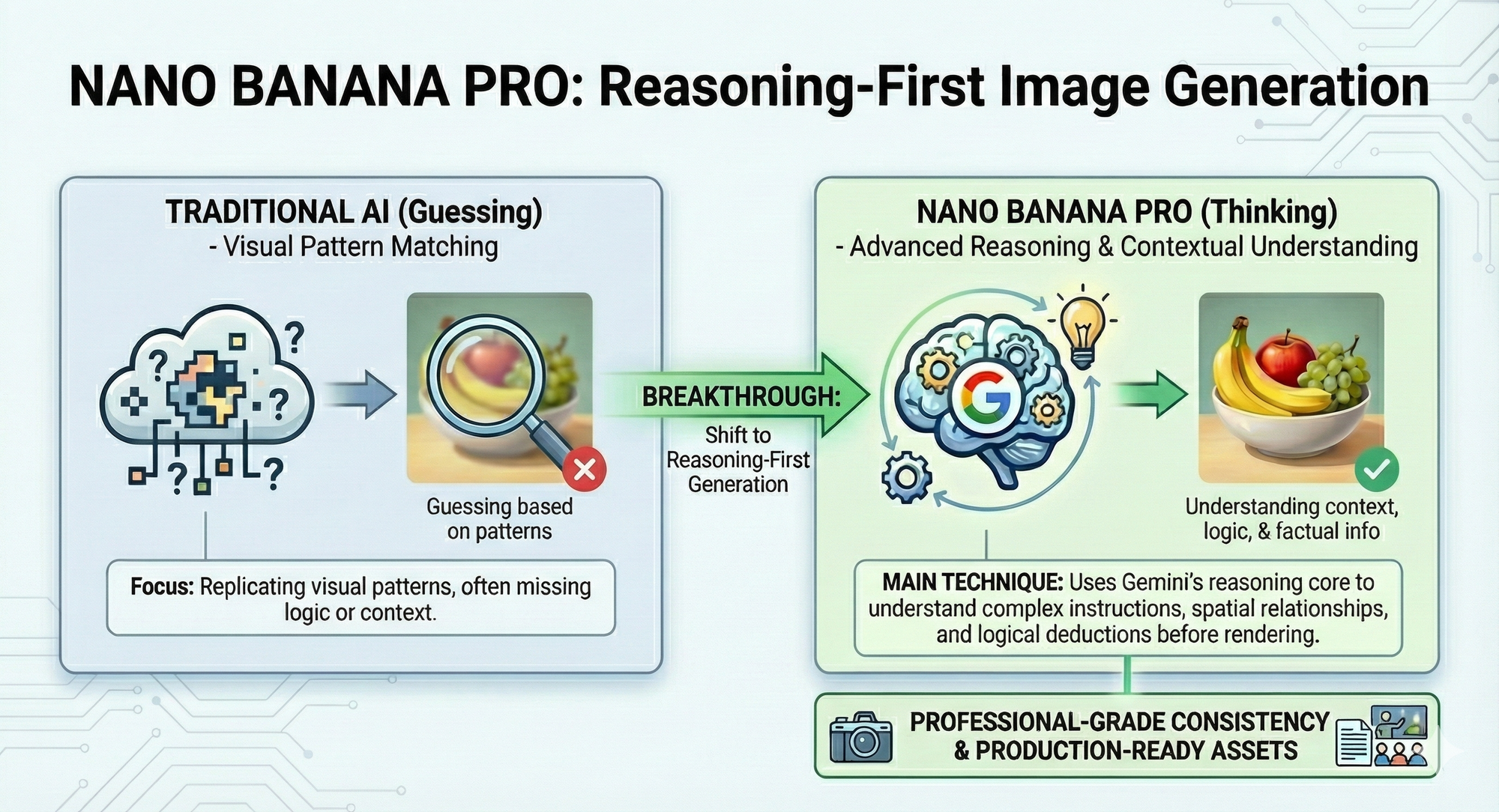
Google DeepMind just dropped Nano Banana Pro, a new image model powered by the massive brain of Gemini 3 Pro. Unlike older models that just look at billions of pictures and try to "guess" what a cat looks like, this new model actually uses a reasoning core to think before it draws.
Here are the main breakthroughs of the Nano Banana Pro:
- It Thinks, Then Draws (Reasoning-First): Traditional image AIs are like artists who paint based on visual memory ("I've seen a red ball before, I'll paint that"). Nano Banana Pro is like an engineer who understands physics and logic ("A red ball on a slope should roll down"). It understands context, logic, and real-world constraints, leading to images that make sense, not just look pretty.
- It Can Finally Spell: One of the biggest memes in AI has been its inability to write text (generating gibberish like "HAPPPY BIRTDAY"). Because this model understands language structure, it can render clear, correctly spelled text in multiple fonts and languages directly inside the image.
- Professional Consistency: This is the holy grail for storytellers. Nano Banana Pro can "remember" what a character looks like. You can generate a character in one scene and move them to another without their face or clothes morphing into someone else—a huge leap forward for branding and comics.
Why It Matters:
From "Slot Machine" to "Software Component." We are moving from the era of "Slot Machine AI" (pull the lever and pray for a good result) to "Reliable Generation." This is the turning point where image generation stops being just a fun toy and starts being a valid software component. For us builders, it means we can finally treat an image model like a function call: inputs go in, and a predictable, accurate result comes out. Reliability is the foundation of engineering, and AI art just got reliable.
The "So What" for Students?
- As a User — Stop Learning "Prompt Voodoo": You no longer need to memorize obscure "magic words" (like 4k, unreal engine, masterpiece) to trick the AI into looking good. Since the model reasons, your focus should shift from "hacking the prompt" to clearly describing your logic.
- As a Builder — New Project Categories are Unlocked: Previously, building a "Comic Book Generator" or a "Logo Designer" was nearly impossible because the AI couldn't spell or keep characters consistent. Those barriers are gone. You can now build apps that rely on narrative continuity and precise text rendering.
💡 Concept Quick-Dive: The "Translator" Pattern
We have all been there. You have a specific vision in your head, you type a prompt into an image generator like Midjourney or DALL-E, and... the result is frustratingly off.
Why does this happen?
The problem usually isn't the AI's ability to draw; it's the gap between human language and machine understanding. Our prompts are often too vague for an AI that needs precise instructions. For example, if we simply ask for "A cat sitting on a wall," we have no control over the outcome. We might get a hyper-realistic photograph, a 3D cartoon, or a pencil sketch. The AI is guessing, and often it guesses wrong.
This means if we try to build an image-generation app that just passes raw user text directly to an image model, the results will be inconsistent and disappointing.
Professional AI engineers solve this by inserting a "middleman."
- The User: Provides the Intent (e.g., "A cat on a wall").
- The Translator (e.g., GPT-4o): Converts Intent into Specification. It acts as a Creative Director, expanding the user's 5 words into a 50-word detailed visual description. It adds specific instructions for lighting, texture, camera angles, and style that align with the app's goal.
- The Generator (e.g., DALL-E): Executes the Specification and generates the image.
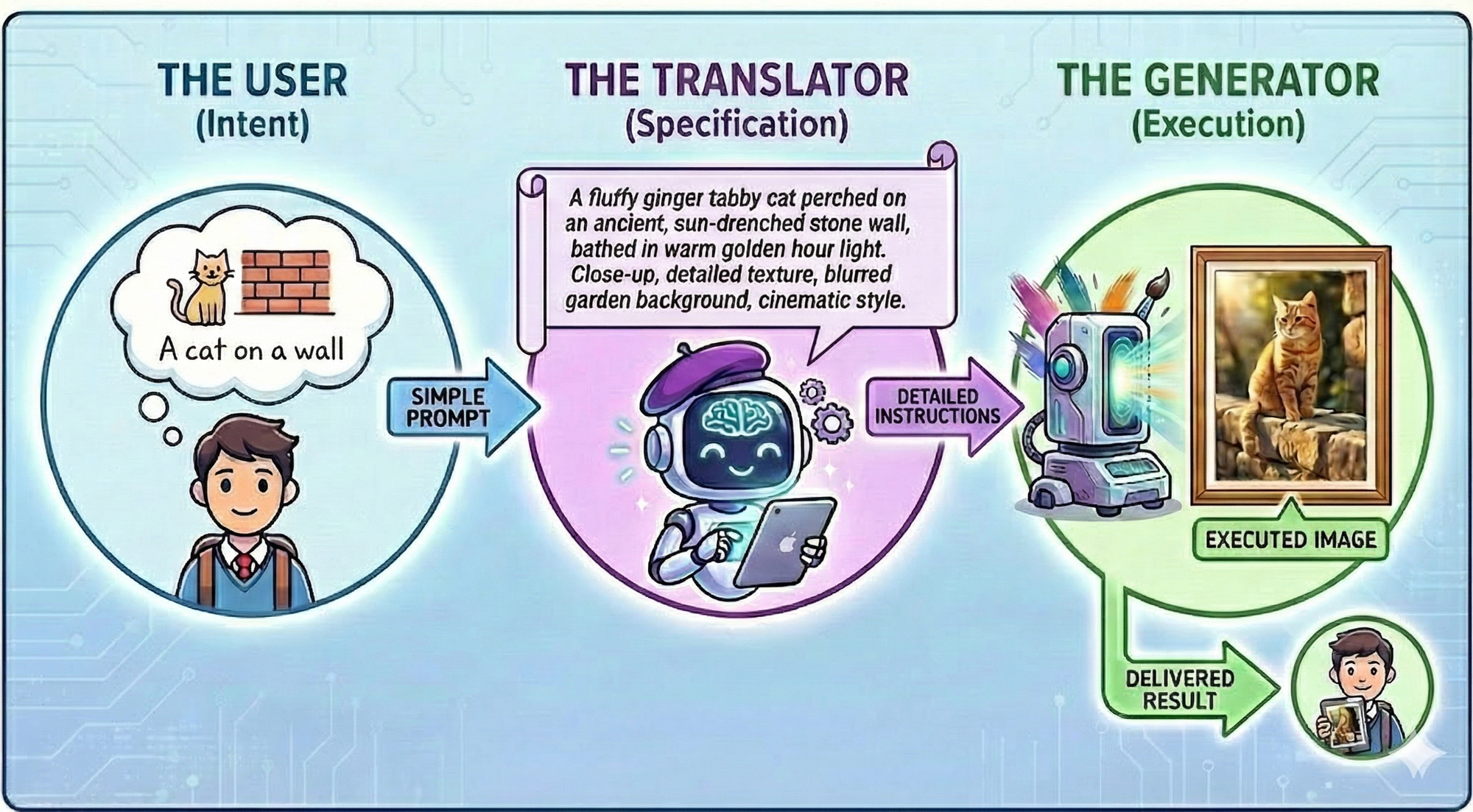
This pattern—using a large language model (LLM) to "upgrade" user input before sending it to a tool—is the secret sauce behind almost every successful GenAI product. It turns vague human ideas into precise machine instructions.
🛠️ Hands-on Lab: Build an "AI Art Director"
In this lab, we won't just generate an image. We will build an Art Generator App where the user defines both the Subject and the Style, and the AI handles the rest.